Securing an apartment complex is a completely different challenge from securing a single home. You have shared entrances, multiple lifts, basement parking, long corridors, a busy main gate and dozens of families relying on one system. Get the design right and the whole community feels safer; get it wrong and you are left with blind spots, resident disputes and money wasted on cameras pointing at the wrong places.
This guide explains exactly how to plan CCTV for apartments in Chennai — zone-by-zone placement, how many cameras your society actually needs, where lift cameras and society gate CCTV fit in, the rules a managing committee must follow, and how cost is framed. With 500+ installations across Chennai, WAEI Enterprise has secured everything from small gated communities to large multi-tower complexes.
Planning a society installation? Book a free WAEI site survey — we'll map your blocks, lifts and gates and give your committee a transparent, itemized quote.
Table of Contents
- Why Apartments Need a Dedicated CCTV Plan
- Zone-by-Zone Camera Placement
- How Many Cameras Does Your Society Need?
- IP or Analog for Apartments?
- Lift Cameras: A Special Case
- Society Gate CCTV & Access Control
- Storage, Retention & Remote Viewing
- Society Rules, Privacy & Legal
- STQC Compliance & AMC
- What It Costs
- Frequently Asked Questions
Why Apartments Need a Dedicated CCTV Plan
A house has one or two entry points. A housing society has many — the main gate, every block entrance, each lift, parking ramps, the terrace and the perimeter wall. Visitors, delivery riders, domestic help and vehicles move through all day.
A well-designed society system delivers:
- Accountability at the gate — every visitor and vehicle on record
- Safety in shared spaces — lifts, stairwells, parking and play areas
- Dispute resolution — clear footage settles complaints between residents
- Asset protection — bikes, cars and common property
- Peace of mind for families, elderly residents and children
The key difference from a home: coverage must be continuous and overlapping, so nobody can move between blocks unseen. That requires a committee-level plan, not a few cameras bolted on after a theft.
Zone-by-Zone Camera Placement
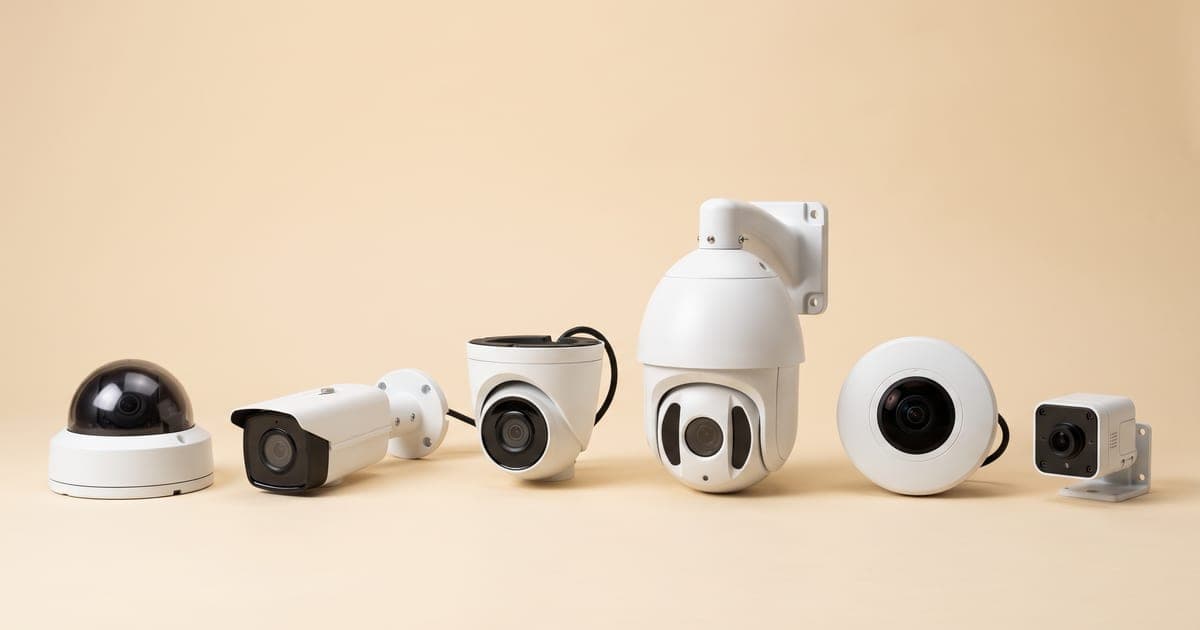
Effective coverage in a residential complex means matching the right camera to each zone. Pointing the wrong type at a zone — a standard dome at a 50-metre driveway, say — is the most common reason societies still have blind spots after spending lakhs.
| Society Zone | Why It Matters | Recommended Camera |
|---|---|---|
| Main gate / entry-exit | Capture every person and number plate | High-res ANPR-capable bullet |
| Visitor / guard booth | Verify identity, log deliveries | Dome, indoor |
| Each block entrance | Track who enters which building | Dome / bullet |
| Lifts (cabin) | Monitor enclosed, high-traffic spaces | Wide-angle lift camera |
| Lift lobby (each floor) | Cover the wait area and floor access | Dome |
| Basement / open parking | Protect vehicles, catch damage & theft | Vandal-proof, low-light |
| Parking ramps | Choke points every vehicle must cross | Bullet, wide dynamic range |
| Corridors & stairwells | Eliminate hidden movement paths | Dome |
| Perimeter wall | Detect intrusion from outside | Bullet, IR night vision |
| Terrace & utility rooms | Secure rooftop access, pumps, gensets | Weatherproof bullet |
| Play area / clubhouse | Child safety and amenity monitoring | Dome |
The goal is overlapping fields of view so a person cannot pass between two cameras unseen, with extra resolution concentrated at choke points — the gate, ramps and lift lobbies — where you most need to identify a face or plate. A site survey maps this precisely for your blocks and layout.
How Many Cameras Does Your Society Need?
There is no single answer — it scales with the number of blocks, lifts and entry points. Use this as a planning baseline before your survey:
| Society Size | Blocks / Lifts | Typical Camera Count | Likely Recorder |
|---|---|---|---|
| Small gated community | 1 block, 1 lift | 8 – 16 cameras | 16-ch NVR |
| Mid-size complex | 2 – 4 blocks, 2–4 lifts | 16 – 32 cameras | 32-ch NVR |
| Large complex | 5 – 8 blocks, 5+ lifts | 32 – 64 cameras | 64-ch NVR |
| Township / multi-tower | 8+ blocks, many lifts | 64+ cameras | Multiple NVRs |
A useful rule of thumb: budget roughly 2 cameras per block entrance/lobby, 1 per lift cabin, 2–4 at the main gate, then add parking, perimeter and amenity cameras on top. Always size for the layout, not just the flat count — a long perimeter wall or a sprawling basement can need more cameras than the number of towers suggests.
IP or Analog for Apartments?
For most societies, IP cameras are the better long-term choice: sharper footage (critical for identifying faces and number plates at the gate), easier cabling over a single network backbone, and smart analytics like motion, line-crossing and people-counting alerts.
Analog (HD) can still make sense for budget-conscious smaller societies or to reuse existing coax cabling. Many complexes run a hybrid — IP at critical points like the gate, lift lobbies and parking, analog on corridors and low-risk zones — to balance image quality against cost. Compare both in our IP vs analog camera guide.
Lift Cameras: A Special Case
Lifts are enclosed, used by everyone, and a common spot for incidents — yet they are the zone most societies get wrong. A normal indoor dome doesn't fit the cabin geometry and the cabling has its own demands.
- Use a dedicated wide-angle lift camera that covers the full cabin without blind corners, mounted in the ceiling corner facing the door.
- Plan the travelling cable. Footage has to run from a moving cabin to the recorder in the shaft or machine room, which needs a flexible drop cable or a wireless-to-shaft link — a standard camera install will not handle this.
- Coordinate with your lift AMC vendor before drilling; cabin wiring touches the lift's electricals, and many jurisdictions require lift-related wiring to be done by licensed contractors.
Because of these specifics, lift coverage is handled as a distinct line item. See our dedicated lift camera service for how WAEI retrofits cabins safely and links them into your main system.
Society Gate CCTV & Access Control
The gate is your society's single most important security point — and where CCTV alone is not enough. CCTV records who comes and goes; access control actively manages it. Our full guide to access control for apartments and gated communities covers visitor management, boom barriers and resident entry in depth.
A complete gate setup combines:
- ANPR cameras that read and log every vehicle's number plate automatically — invaluable for incident investigation and for whitelisting resident vehicles.
- Boom barriers with RFID/UHF tags so residents' cars open the gate hands-free while visitors are stopped and verified.
- Visitor management — a logbook or app that records each visitor, the flat they are visiting and their entry/exit time.
- Biometric or card access at block doors for a second layer in higher-security complexes.
Together, society gate CCTV plus access control and gate automation turn your entrance from a manned checkpoint into a managed, auditable system — the gold standard for apartment security.
Storage, Retention & Remote Viewing
Cameras are only half the system; the recorder and storage decide whether footage is actually there when the committee needs it.
- Retention. Most societies keep 15–30 days of footage; some policies extend to 90 days. The more cameras and the higher the resolution, the larger the hard disk you need to hit that window.
- NVR sizing. Choose a recorder with enough channels for current cameras plus headroom for future blocks, and surveillance-grade hard disks rated for 24/7 writing.
- Remote viewing. Authorised office-bearers should be able to view live and recorded feeds from a phone or the security desk — with logins restricted to the manager/secretary, not shared freely.
- Power backup. A UPS on the gate and main recorder keeps your most critical cameras recording through Chennai's power cuts.
We size storage and backup during the survey based on your camera count, resolution and the retention window your committee agrees on.
Society Rules, Privacy & Legal
CCTV in a shared community sits under real legal obligations in India — the Information Technology Act, 2000, the Indian Penal Code's restrictions on unauthorised surveillance, and the 2017 Supreme Court Right to Privacy judgment. A managing committee should:
- Pass a resident resolution. Approve the CCTV plan in a general body / committee meeting and minute it, so the installation has documented consent.
- Respect privacy. Cameras belong in common areas — gates, lifts, lobbies, corridors, parking. Never point them at individual flat doors in a way that films inside homes, or into private windows.
- Display signage. Put up "CCTV in operation" boards at every entry point so residents and visitors are informed.
- Control footage access. Decide who can view recordings (usually the manager/secretary), keep the recorder password-protected, and define the retention period in writing.
- Have a release policy. Footage should be shared with residents or police only through a clear, minuted process — not on casual request.
These steps keep your society compliant and prevent the privacy disputes that derail many installations.
STQC Compliance & AMC
Two things protect your investment after handover.
STQC certification. From 2026, CCTV equipment sold in India must be STQC-certified for security and data-handling standards. For a society storing weeks of footage covering hundreds of residents, buying compliant hardware is not optional — it is the difference between a defensible system and a liability. Read the details in our STQC certification guide.
AMC. A society system runs 24/7 across dozens of cameras; a single failed gate or lift camera at the wrong moment defeats the purpose. An annual maintenance contract keeps cameras cleaned, firmware updated, storage healthy and faults fixed fast. Every WAEI installation includes 1 year of free AMC, with affordable extension plans — see what's covered on our AMC page.
What It Costs
Apartment systems scale with size, so cost is driven by camera count, camera type (IP vs analog), the number of lifts, storage retention and access-control add-ons at the gate. A small single-block community and a large multi-tower township sit at very different ends of the range.
Rather than quote a misleading flat figure, we give every society an itemized quote after a free survey. For a full breakdown of how camera count, brand, storage and AMC affect the final price, see our detailed CCTV installation cost guide for Chennai.
For the bigger picture on choosing and sizing a system end to end, read our complete guide to CCTV installation in Chennai. We install across the city, including OMR and surrounding areas.
Frequently Asked Questions
How many CCTV cameras does an apartment society need?
It depends on the number of blocks, lifts and entry points. A small single-block community usually needs 8 to 16 cameras, a mid-size complex 16 to 32, and a large multi-tower society 32 to 64 or more. A free site survey gives your committee an exact number based on your layout, not just the flat count.
Where should CCTV cameras be placed in a housing society?
Cover the main gate, the guard booth, each block entrance, all lift cabins and lobbies, basement and open parking, parking ramps, corridors and stairwells, the perimeter wall, the terrace and amenity areas — with overlapping views so there are no blind spots between cameras, and extra resolution at the gate and ramps.
Is CCTV legal in apartment common areas in India?
Yes. CCTV is allowed in common areas like gates, lifts, lobbies, corridors and parking. Cameras must not film inside private homes or windows, signage must be displayed, and the installation should be approved by the managing committee in a minuted meeting. The IT Act 2000 and the 2017 Right to Privacy judgment govern how footage is handled.
How long should a society keep CCTV footage?
Most societies retain 15 to 30 days of footage, and some policies extend to 90 days, which is enough to investigate incidents reported days or weeks later. The retention window decides how large a hard disk the NVR needs, so it should be fixed before the system is sized.
Are lift cameras part of a society CCTV system?
Lift cameras are a separate, dedicated camera type designed for the enclosed cabin, with a flexible travelling cable that handles the moving car. They integrate with the main recorder but are installed as a distinct line item, often in coordination with your lift maintenance vendor, and are strongly recommended for every society.
Should a society add access control along with CCTV at the gate?
For most societies, yes. CCTV records the gate, but access control — boom barriers, RFID tags for resident vehicles, ANPR and visitor management — actively manages who enters. Together they turn a manned checkpoint into an auditable, managed entry, which is the strongest setup for apartment security.
Conclusion: Secure Your Whole Community, Not Just the Gate
A housing society is only as secure as its weakest blind spot. The best apartment CCTV setups combine overlapping coverage at every shared zone, dedicated lift cameras for enclosed cabins, gate CCTV with access control to manage who enters, and adequate retention so footage is there when it's needed — all sized correctly, STQC-compliant, and backed by maintenance.
WAEI Enterprise designs society systems end to end: free site survey, transparent itemized pricing, STQC-compliant equipment, professional installation and 1 year of free AMC.
Ready to secure your society? Book a free site survey today — we'll map your complex and give your committee a clear, no-pressure quote.
Tags
- CCTV for Apartments Chennai
- Housing Society CCTV
- Apartment Security Chennai
- Lift Camera Installation
- Gate Access Control