WiFi CCTV cameras, surveyed before they are mounted
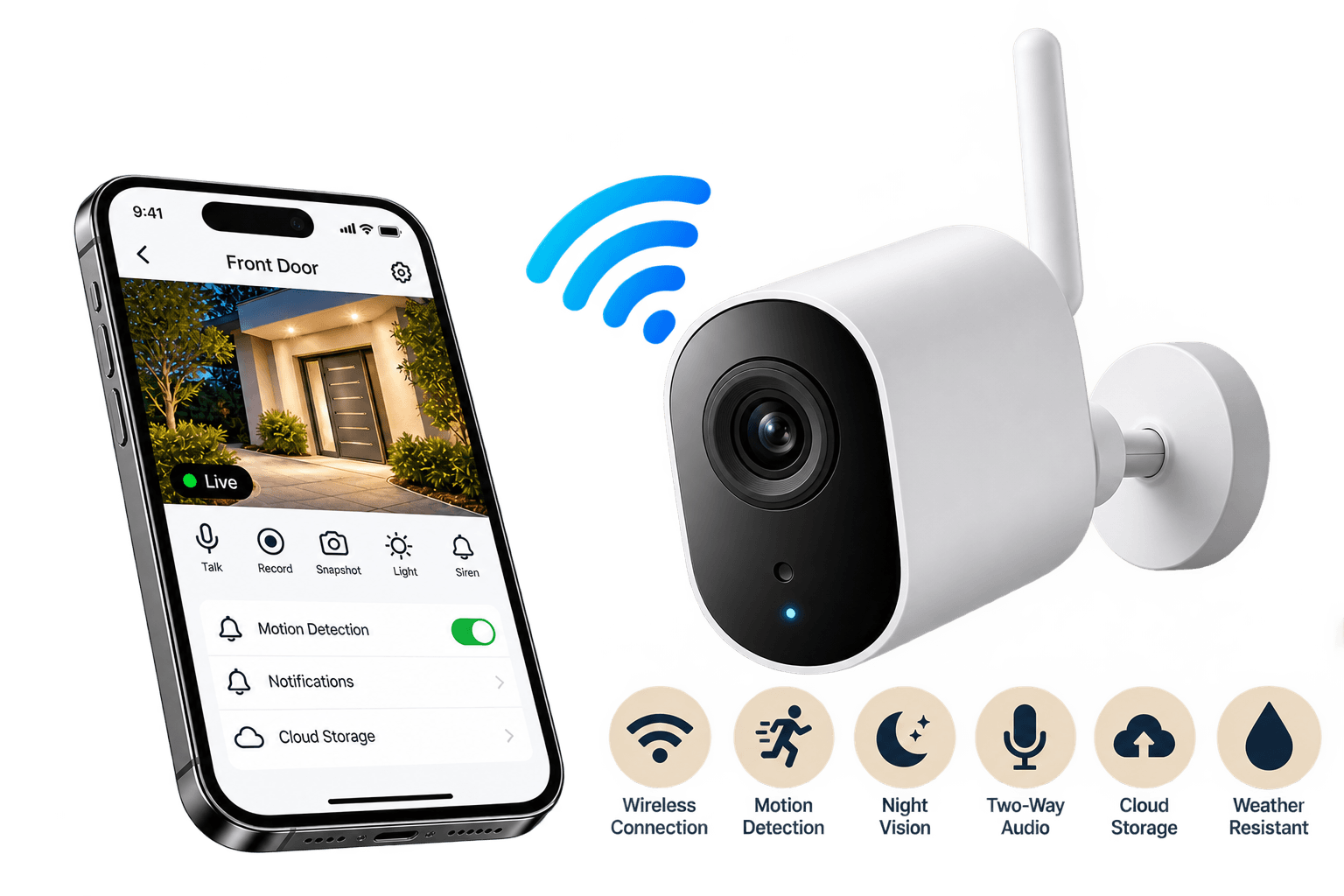
WiFi CCTV cameras — wireless security cameras with on-camera person detection, colour night vision, two-way audio and recording to both card and cloud — installed against a measured signal rather than a hopeful one.
Encodes at the lens — 2K or 4K, AI person detection on-board
02−67 dBm
Your WiFi
2.4 GHz reaches through walls, 5 GHz carries more. Signal is surveyed at each mount point
03512 GB
Card and cloud
microSD in the camera holds everything; cloud keeps the clips that matter off-site
0424/7
Phone and desktop
Encrypted P2P — no static IP, nothing forwarded on your router
Internet down — the card keeps recording
Before you buy01
Wireless is not automatically the right answer
It is the right answer for most homes, and we install far more of it than anything else — but a sixteen-camera warehouse that needs a month of footage is a cabled job and no amount of good WiFi changes that. Here is the line we draw.
Go wireless when
The walls are finished, or not yours
A rented flat, a leased shop, a house nobody wants chiselled. A wireless security camera needs a power point near the mount and nothing else — no conduit run back to a recorder, no making good afterwards.
It is one to six cameras, mostly indoors
This is where WiFi is genuinely the better buy, not the cheaper compromise. A home security camera set covering gate, porch, hall and one bedroom lands comfortably inside what an ordinary router and a good mesh node can carry.
You want to talk back, not just watch
Two-way audio, a spotlight and a siren on the camera itself turn a recording device into something that interrupts what is happening. That matters more at a front door than another megapixel does.
The camera may move
Watching a puppy this month and a parcel porch next month. Relocating a wireless camera is unscrewing a bracket; relocating a cabled one is a site visit and a new cable run.
The property is small and already has WiFi
The router is the infrastructure, and it is already paid for. Where there is no router at all — a farm, a plot, a site before power arrives — that is a 4G camera, and it has its own page.
Cable it instead when
More than about eight cameras
Every camera is a device competing for the same airtime. Past roughly eight streams the failures stop being about any one camera and start being about the network, and a PoE system removes the variable entirely.
Footage has to survive weeks, not days
A microSD card recycles itself in about a week. If you need thirty days you need a recorder and a hard disk, and at that point the cable is the cheap part of the decision.
Nothing is allowed to drop, ever
Cash handling, a strongroom, a compliance requirement. Wireless is reliable when it is surveyed and maintained; a cable is reliable because there is nothing to interfere with.
Every WiFi CCTV camera quote prices the cameras. The four things underneath them are what decide whether the system is still working next monsoon, and they all appear on the paper you get from us.
01
The cameras
2K covers a room, a counter or a porch comfortably. 4K is for the one or two positions where a face or a number plate has to be readable — and it is worth knowing it costs you both storage and airtime everywhere else you fit it.
2K / 4K sensors, IP66–IP67 outdoor housings
On-camera person and vehicle detection
Full-colour night vision with spotlight
Built-in mic, speaker and siren
02
The WiFi it runs on
This is what actually decides whether the system works, and it is the line missing from most quotes. We measure the signal at every mount point before anything is fixed, and where a position is short we price the mesh node into the same quote rather than discovering it afterwards.
Signal surveyed at each bracket, in dBm
2.4 GHz for reach, 5 GHz for bitrate
Mesh node or outdoor AP where needed
Cameras on their own SSID, away from the house traffic
03
Where the footage lives
A card in the camera, a cloud plan, or both. The card holds everything and survives an internet outage; the cloud holds the clips that matter and survives the camera being stolen. Most homes want both, and neither one alone is a backup.
microSD up to 512 GB per camera
7 or 30-day rolling cloud clips
Optional NVR for a mixed wired set
Continuous or event-only, chosen per camera
04
Power — the part called wireless isn't
Only battery and solar models are genuinely wire-free. Everything else needs a socket within reach of the mount, and where there isn't one we run a short spur properly rather than leaving an adapter dangling on a balcony.
Concealed spur to each mounted camera
Weatherproof junction box outdoors
Battery models: 3–6 months per charge
Battery models rechargeable in place
05
The app and who can see it
Handover is not a working camera, it is a working account. We set the app up on every phone that needs it, hand the owner admin and everyone else a limited role, and put a real password on the camera instead of the one printed on the box.
App configured on each family or staff phone
Owner admin, viewer-only for the rest
Two-factor enabled, default admin disabled
Detection zones drawn per camera, not left on
Camera bodies03
Six shapes, chosen per position
The body is a coverage decision, not a taste one. A doorbell answers a question a bullet camera cannot, and a battery unit exists so one awkward corner does not turn into a cable run.
01
Indoor pan-tilt
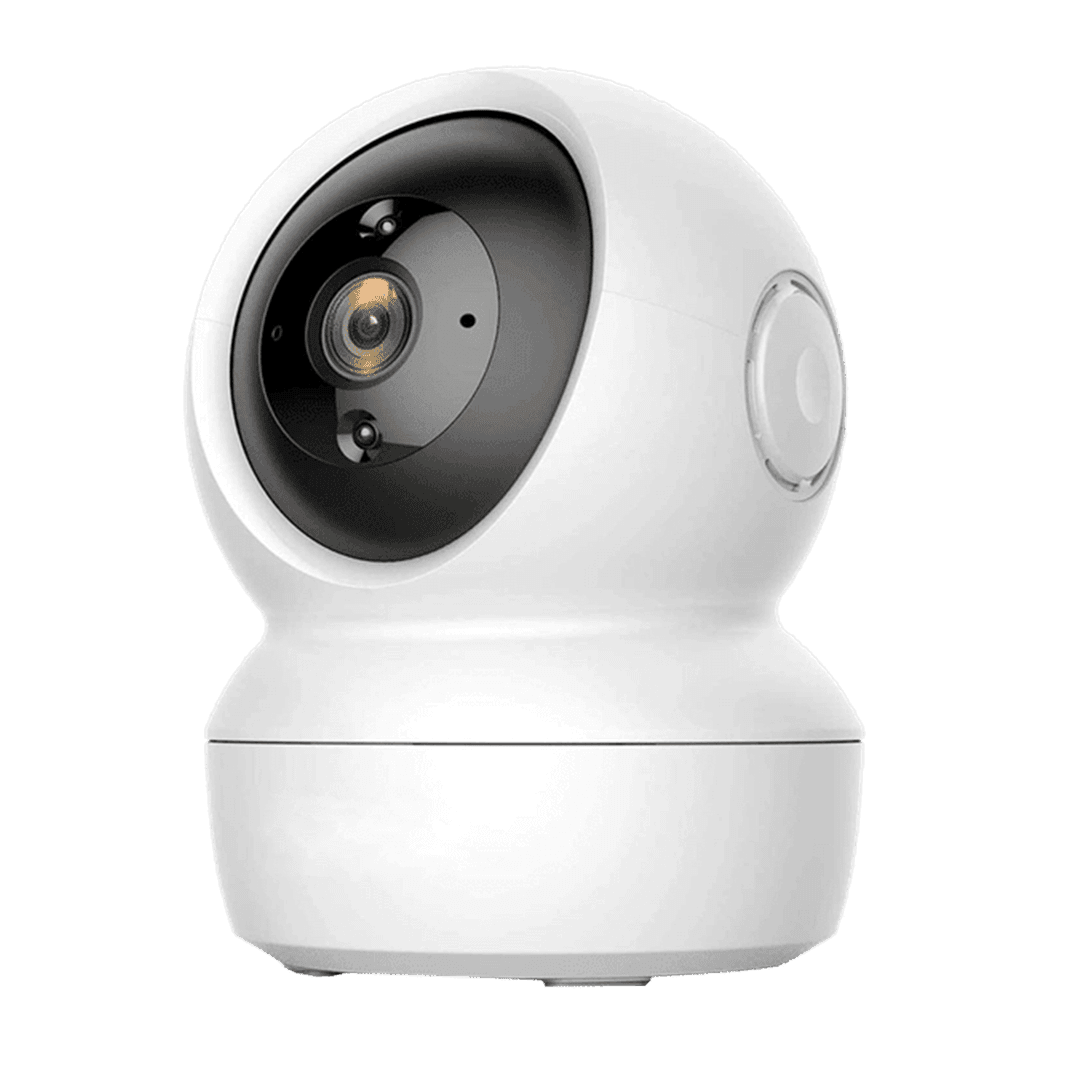
355° pan, 90° tilt and a physical privacy shutter. Halls, nurseries, shop counters.
02
Outdoor bullet & turret
IP66/IP67, UV-stable housing, spotlight and siren. Built for the monsoon and for April.
03
Video doorbell
180° head-to-toe view, package detection, two-way talk. Battery or wired to the existing chime.
04
Wireless PTZ
Optical zoom, patrol presets and auto-tracking for yards, showrooms and godowns.
05
Battery, wire-free
Three to six months a charge, PIR wake-up, magnetic mount. Nothing to drill for power.
06
Floodlight & siren
Lights the driveway before it records it. The body that makes someone leave rather than be filmed.
The number that decides everything04
A wireless camera is only as good as the signal at its bracket
Range on a box is measured in an empty room. What matters is the reading at the exact spot the camera will live, through the walls it will actually be behind — so we take it with a meter before anything is fixed.
−30 to −50 dBm
Excellent
Full frame rate, 4K streams comfortably, clips upload the moment they are recorded. Typically the same floor as the router, line of sight.
−51 to −60 dBm
Good
What most well-placed cameras in a Chennai flat actually see. Reliable for 2K continuous recording and live viewing.
−61 to −67 dBm
The floor
Works, and this is the weakest reading we will hand a camera over on. Expect the occasional stutter on a 4K live view; recording to the card is unaffected.
−68 to −75 dBm
Marginal
This is the reading behind almost every 'my camera keeps going offline' call. It survives a demo and fails in a month, when the neighbours' networks fill in around it.
Below −75 dBm
Will not hold
A mesh node, an outdoor access point or a different mount point. No camera and no brand fixes a signal this weak, whatever the box says about range.
Where a position reads below the floor, the fix is a mesh node, an outdoor access point or a different mount — and it goes in the quotation, not on the invoice afterwards. We also put cameras on their own SSID so a full house of phones and televisions is not competing with them for the same airtime.
Storage05
How long a memory card actually holds
Resolution buys detail and spends history. This is what one card gives a single camera recording around the clock in H.265 — the arithmetic behind the card size on your quote.
Days of footage held on one microSD card by a single camera recording 24/7 with H.265 compression, by card size and resolution.
Card size
2 MP · 1080p
4 MP · 2K
8 MP · 4K
64 GB
4 days
2 days
1 day
128 GB
8 days
4 days
2 days
256 GB
16 days
8 days
4 days
512 GB
32 days
16 days
8 days
Event-only recording stretches every figure above by roughly three times, and it is usually the better way to reach a month of history than buying a larger card. Where several cameras all need thirty days of continuous footage, a recorder and a hard disk is genuinely cheaper — that is an IP CCTV system, and we will tell you so during the survey.
What it costs06
WiFi CCTV camera prices in Chennai, in three bands
Hardware, cards, mounting and app setup — everything except a long concealed power spur or a scaffold, which is exactly why the survey comes before the number.
WiFi CCTV camera prices in Chennai by camera type, with the starting installed price and where each unit fits best.
Camera
Best for
Price
WiFi Indoor Dome / Robo camera
A pan-tilt dome or robot camera for halls, lobbies and shop counters — mounted, card fitted, app set up on the phones that need it.
Starting from ₹3,000
WiFi Outdoor camera
A fixed outdoor bullet on a weatherproof mount, aimed at the gate or compound, card fitted and app configured.
Starting from ₹4,000
WiFi Outdoor PT camera
A pan-tilt outdoor unit with 360° coverage, mesh node where the survey calls for one, cloud plan configured, roles handed out.
Starting from ₹6,500
Bands, not quotes. Mounting height, how much of the power spur has to be concealed and whether the site needs a mesh node move a price more than the camera model does. The full Chennai price list breaks the components down line by line.
Where it goes07
Six kinds of property, same hardware
What changes between these is the camera count, which position earns the 4K unit, and whether the footage has to leave the building. The cameras themselves barely differ.
01
Homes & flats
Gate, porch and hall coverage
Elder and child rooms, on a private role
Delivery and package alerts at the door
02
Shops & showrooms
Counter and billing position in 4K
Stock room on event-only recording
Talk to the floor from the app after hours
03
Offices & clinics
Reception and corridor coverage
Server or records room alerts
Staff roles that cannot delete footage
04
Godowns & yards
PTZ on the loading bay
Line-crossing alerts on the boundary
Wired uplink where the count grows past eight
05
Rented homes & PGs
Nothing drilled that has to be made good
Whole set unmounts and moves with you
Battery cameras where there is no socket
06
Cafés, salons & studios
Counter and entrance on one account
Talk to the floor from the app
Staff roles that cannot delete footage
How we fit it08
Five steps from survey to handover
One to four wireless cameras is normally a single visit. A larger set, or one that needs mesh hardware added first, is two — and you get the dates with the quotation.
01
Tell us the property
A call or a WhatsApp with the layout and what you are trying to see. We will tell you on that call if wireless is the wrong answer for it — that happens, and it is cheaper to hear now.
02
Free survey, with a meter
An engineer walks the site, marks the mount points, and reads the WiFi signal at each one. That reading, in dBm, is what decides whether the position gets a camera, a mesh node or a different bracket.
03
Itemised quotation
Cameras, cards, mesh hardware, cloud plan, mounting and labour, each on its own line. Anything the survey turned up is priced in it, not raised on installation day.
04
Install and tune
Brackets fixed, power run properly, cameras joined to their own SSID, angles set against the actual light rather than the datasheet, detection zones drawn to exclude the road and the neighbour's gate.
05
Accounts and handover
App on every phone that needs it, admin to the owner, viewer roles to everyone else, strong passwords set and two-factor on. We walk you through playback and clip export before we leave.
Questions09
What buyers usually ask first
BasicsWhat is a WiFi CCTV camera, and is it really wireless?
It is wireless for video, not usually for power. A WiFi CCTV camera sends its footage over your WiFi instead of down a cable to a recorder, which is what removes the conduit, the chiselling and the making-good from the installation. Power is a different question: only battery and solar models are genuinely wire-free, and everything else still needs a socket within reach of the mount. We say which is which during the survey, because a camera on a balcony with an adapter dangling from it is not the install anyone wanted.
BasicsShould I get a wireless home security camera or a wired CCTV system?
Wireless is the better buy for one to six cameras in a finished or rented space, especially indoors, where the cost of cabling is most of the cost of the job. Go wired once you pass roughly eight cameras, or when footage has to survive weeks rather than days, or when the system covers something that is not allowed to drop. Past that point the airtime, not the camera, becomes the limitation. We install both and will tell you honestly which one your property is — see our IP CCTV page for the wired route.
ReliabilityWhy do wireless security cameras keep going offline?
Almost always signal, not the camera. A reading between −68 and −75 dBm at the mount point survives a demo and starts dropping a month later when the neighbouring networks fill in around it; below −75 dBm nothing holds, whatever the box claims about range. That is why our survey reads the signal in dBm at every bracket before anything is fixed, and why we price a mesh node into the quote rather than discovering the need on installation day. The other two causes are a camera sharing a congested 2.4 GHz channel with the whole house, which is why we put cameras on their own SSID, and a power spur someone ran as a temporary.
ReliabilityDo wireless cameras still record if the internet goes down?
Yes. The camera records to its own microSD card whether or not your broadband is up — an outage stops the live view, the push alerts and the cloud upload, not the recording. Everything captured during the outage is on the card and plays back normally afterwards, and cloud clips resume automatically once the connection returns. For a site with no broadband at all, a 4G camera with its own SIM does the same job without one.
StorageHow many days will a memory card hold?
Recording around the clock in H.265: a 128 GB card holds about 8 days at 2K and 4 days at 4K, and a 512 GB card about 32 days at 2K and 8 days at 4K. Switching that camera to event-only recording stretches every figure roughly three times over, which is usually a better way to reach a month of history than buying a bigger card. Where you genuinely need thirty days of continuous footage across several cameras, a recorder and a hard disk is the cheaper answer and we will say so.
NetworkHow much bandwidth and broadband speed do I need?
A 2K camera uses roughly 2–4 Mbps while someone is watching it live, and a 4K camera 4–8 Mbps. The number that matters is your upload speed, not the download figure the connection is sold on — remote viewing and cloud backup both push data out of the house. A 50–100 Mbps fibre connection carries four to six cameras plus normal use comfortably. Cameras only recording to their cards use almost no internet at all; it is live viewing and cloud upload that spend it.
SecurityCan a wireless home security camera be hacked?
The realistic risks are a default password, a reused one, and an unknown brand with no firmware updates — not someone breaking the encryption. We install models with end-to-end encrypted streams, set a unique strong password on each camera, enable two-factor authentication, disable the default admin account and keep firmware current. We also steer buyers toward STQC-aware brands to stay on the right side of India's 2026 CCTV rules. Remote viewing runs over the manufacturer's encrypted P2P service, so nothing needs to be forwarded on your router — an open port is the single most common way camera systems actually get compromised.
PricingWhat does a WiFi CCTV camera cost in Chennai?
A single indoor camera installed with the card fitted and the app set up runs about ₹3,500 to ₹6,000. A two-camera home set is roughly ₹9,000 to ₹15,000, and a four-camera home or shop set with a mesh node where the survey calls for one lands between ₹22,000 and ₹35,000. A video doorbell is ₹8,000 to ₹14,000. These are bands, not quotes — mounting height and whether a power spur has to be concealed move a price more than the camera model does.
InstallationWill outdoor cameras survive the Chennai monsoon?
The ones we install will. Every outdoor position gets an IP66 or IP67-rated body with a UV-stable housing, a weatherproof junction box for the power spur and a mount angled so water runs off the lens hood rather than across it. We aim against the actual sun path too, because a camera pointed into the western glare is useless by four o'clock regardless of its rating.
CoverageWhich areas of Chennai do you install in?
The whole metropolitan region — T. Nagar, Anna Nagar, Velachery, Adyar, OMR, ECR, Porur, Mogappair, Ambattur, Perambur, Tambaram, Chromepet, Guindy, Thoraipakkam, Perungudi, Navalur and Siruseri among them — plus Tiruvallur, Chengalpattu, Kanchipuram and the industrial estates around them.
An engineer walks your property, marks the camera positions, reads the WiFi signal at each one and tells you what the whole thing will cost — in writing, within 24 hours. If wireless is the wrong answer for your building, you will hear that on the same visit.