A biometric attendance device that records perfect punch times but still forces HR to re-key hours into payroll every month has solved half a problem and created another. The real payoff of biometric attendance isn't the fingerprint or the face scan — it's when those timestamps flow automatically into your payroll, so salaries, overtime, and statutory deductions calculate themselves. Done right, a payroll run that used to take two or three days of manual reconciliation drops to a few hours.
Yet this is the part almost every guide skips, because most are written by HRMS software companies talking about their platform. This guide is the missing installer's-eye view for Chennai and Indian businesses: how a device actually connects to payroll, the two integration methods you must understand, what to verify before you buy any device, and how it handles shifts, overtime, and PF/ESI compliance. If you would rather have it installed and integrated for you, see our biometric attendance system service.
Quick take: Integration works one of two ways — the device pushes each punch to your software in real time, or your HRMS pulls logs on a schedule. Both work, but they need different things from the device and network. The single most important step is to confirm your device and your payroll software can talk to each other before you purchase — retrofitting later is where businesses get stuck.
What "Integration" Actually Means
Connecting biometric attendance to payroll is a chain of four stages:
- Capture — the biometric attendance device records who punched, and the exact in/out time.
- Transfer — those raw logs move from the device to your attendance or HRMS software.
- Apply rules — the software maps the raw punches against shift timings, breaks, late-in grace, half-days, leaves, and overtime policy.
- Compute pay — payroll turns processed hours into gross salary, then applies statutory deductions (PF, ESI, PT, TDS) to produce net pay and payslips.
The device only does stage 1. Everything from stage 2 onward is software — which is exactly why the connection between the two matters more than the device's brand.
Push vs Pull: The Two Integration Methods
This is the technical heart of it, and understanding it prevents most buying mistakes:
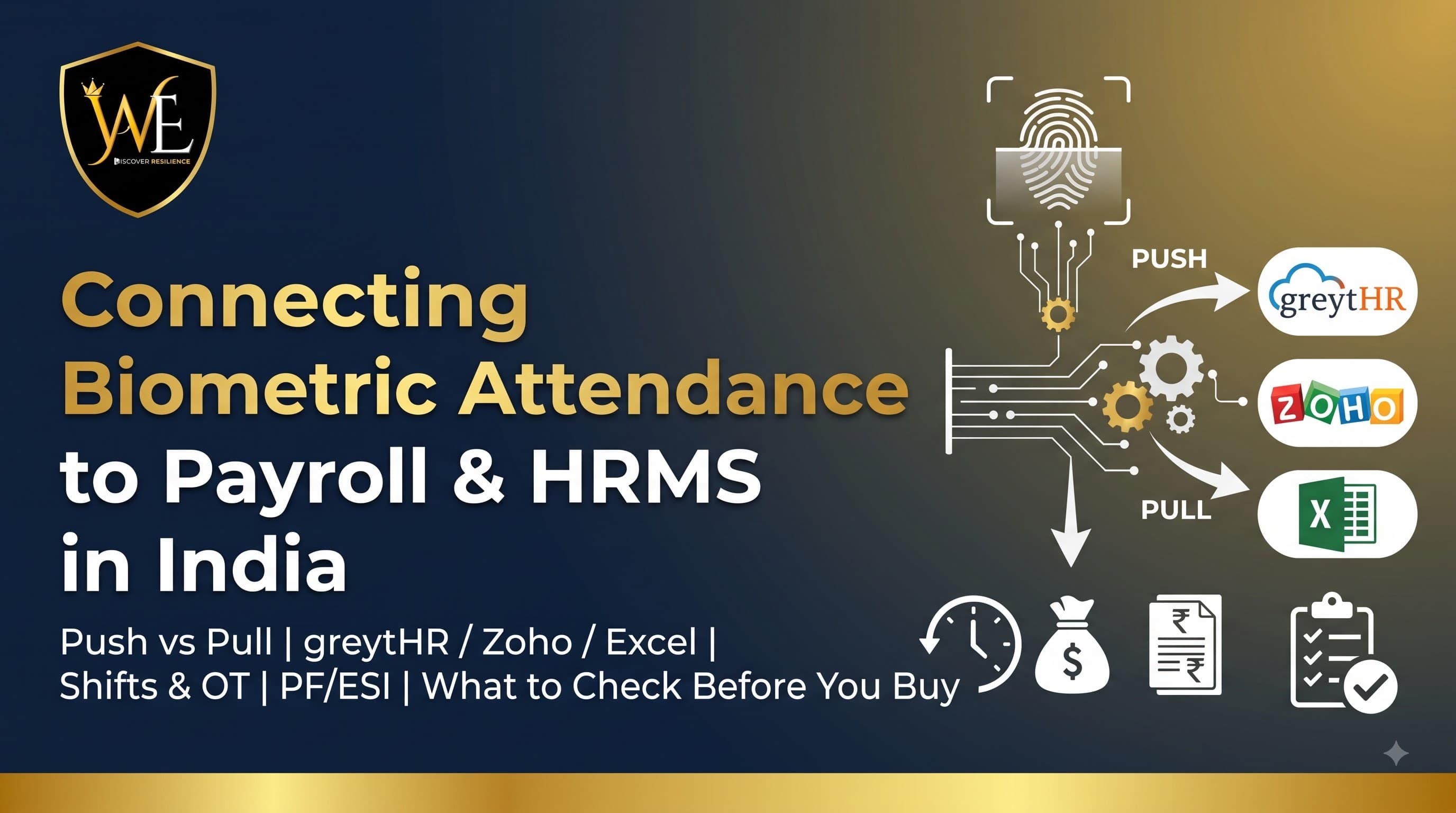
- Push mode — the device sends each punch to your software the moment it happens, using a webhook or the software's API, or by writing to a shared database. You get near-real-time attendance and live dashboards. Cloud-capable devices (and cloud APIs like eSSL Cloud) typically work this way.
- Pull mode — your HRMS reaches out to the device or a database on a schedule (a scheduled job every few minutes or nightly) and fetches the new logs. Simpler to set up, slightly less "live." Many HRMS platforms integrate with common Indian devices this way.
A practical example: some HRMS platforms such as greytHR commonly expect the device to push logs into a database (SQL, MySQL, or MS Access) that the software then reads, while Zoho People typically pulls attendance from supported devices (eSSL, Mantra, Realtime, Anviz, and similar) into its own system for leave and payroll processing. Neither is better universally — what matters is that your specific device supports the method your specific software expects.
The One Thing to Check Before You Buy
Here is the advice no device-seller volunteers: verify the integration path before you purchase the hardware. Ask, and get a clear answer to:
- Does this device officially support my payroll/HRMS? (greytHR, Zoho People, SalaryBox, Keka, Darwinbox, or a custom/Excel workflow.)
- Push or pull — and what does each need? A push may need a static IP or cloud account; a pull may need the device on the same network or a connector utility.
- What's the data format? If you're on a simpler setup, can it export a clean Excel/CSV that your payroll can import?
- Does the vendor provide the API/SDK or connector, and who configures it?
Getting this right up front is the difference between plug-and-play and a device that logs attendance no one can use. At WAEI, we scope your payroll software first and recommend a device that connects to it — not the other way round.
What It Connects To in India
Biometric attendance integrates with the platforms Indian businesses actually run payroll on:
- greytHR — popular with SMBs for strong payroll and statutory compliance; device pushes logs to a database it reads.
- Zoho People + Zoho Payroll — pulls device logs for leave/attendance, with Zoho Payroll handling PF, ESI, PT, and TDS.
- SalaryBox, Keka, Darwinbox, HROne — plug-and-play or API integrations with common eSSL/face/fingerprint devices.
- Excel / CSV export — for smaller businesses without a full HRMS, a clean export the payroll clerk imports each cycle is a perfectly valid, low-cost path.
- Custom ERP — most modern devices expose a REST API covering devices, employees, attendance, shifts, leaves, and reports for bespoke integration.
For offices weighing a full corporate rollout, see how attendance fits the wider setup in our guide to access control for offices and IT parks in Chennai.
What Integration Automates
Once connected, the system does the monthly grind for you:
- Shift & roster mapping — punches are judged against the correct shift, including three-shift and rotating rosters.
- Overtime capture — OT is calculated from actual in/out times, not self-reported, removing the biggest source of wage disputes.
- Leave & holiday handling — approved leaves, weekly offs, and holidays are reconciled automatically.
- Late-in / early-out & grace — company policies applied consistently, not by a tired clerk.
- Statutory compliance — PF, ESI, professional tax, and TDS computed downstream on verified hours.
- Payslips & registers — generated in hours instead of days, with an audit trail.
The result is payroll built on tamper-proof data, with buddy-punching and manual-register errors eliminated.
Cloud vs On-Premise, and Staying Online
How and where the data lives affects reliability, which matters in Chennai's variable-connectivity conditions:
- Cloud devices push to a cloud account you access anywhere — great for multi-branch businesses that need one consolidated view across locations.
- On-premise / local-server keeps data on-site for control and data sovereignty, syncing to payroll on a schedule.
- Offline buffering — a well-chosen device stores punches locally during an internet outage and syncs when the link returns, so no attendance is ever lost. This is essential, not optional, in most Indian settings.
Every WAEI installation is backed by 1 year of free AMC, and we set up the sync so it keeps running without babysitting.
Data Privacy: Biometric Templates & the DPDP Act
When attendance data feeds payroll, you're processing employees' personal data, and the underlying biometric templates are sensitive. Under India's DPDP Act, store encrypted templates (not raw images), use the data only for attendance and payroll, secure it, and delete it when an employee leaves. The good news is that payroll and attendance qualify as an employment "legitimate use," so a compliant setup is very achievable — the full framework is in our guide to whether biometric attendance is legal in India under the DPDP Act. We configure devices for local encrypted storage and clean retention by default.
Frequently Asked Questions
How does biometric attendance connect to payroll software?
The device captures punch times, which transfer to your HRMS or payroll software either by the device pushing each punch in real time (via webhook, API, or a shared database) or by the software pulling logs on a schedule. The software then applies shift, leave, and overtime rules and computes salary with statutory deductions. The key is confirming your device and payroll software support the same method before you buy.
What is the difference between push and pull integration?
In push mode, the device sends each punch to your software the moment it happens, giving near-real-time data. In pull mode, the software fetches logs from the device or a database on a schedule, which is simpler but slightly less live. Some platforms like greytHR commonly expect the device to push into a database, while Zoho People typically pulls logs from supported devices.
Can biometric attendance integrate with greytHR and Zoho?
Yes. greytHR typically reads attendance from a database that the device pushes to (SQL, MySQL, or MS Access), and Zoho People pulls logs from supported devices such as eSSL, Mantra, and Realtime, with Zoho Payroll handling PF, ESI, PT, and TDS. Always confirm your specific device model is supported by your chosen platform before purchase.
Do I need a full HRMS, or can I use Excel?
You don't necessarily need a full HRMS. For smaller businesses, a device that exports a clean Excel or CSV file the payroll clerk imports each cycle is a valid, low-cost path. A full HRMS becomes worthwhile as headcount, shifts, and compliance complexity grow, because it automates far more of the monthly process.
Will attendance still record if the internet goes down?
Yes, with the right device. A well-chosen biometric device buffers punches in local storage during an internet or server outage and syncs them to payroll when the connection returns, so no attendance data is lost — an essential feature given Chennai's variable connectivity.
Is it compliant to use biometric attendance data for payroll?
Yes. Attendance and payroll qualify as an employment "legitimate use" under India's DPDP Act, so it's compliant provided you store encrypted templates securely, use the data only for that purpose, and delete it when an employee leaves. See our DPDP compliance guide for the full details.
Conclusion
The value of biometric attendance is unlocked only when it connects to payroll — turning perfect punch data into automatic, dispute-free salaries and statutory compliance. Understand push versus pull, confirm your device and payroll software speak the same language before you buy, insist on offline buffering, and keep the biometric data DPDP-compliant. Get those right and you convert a monthly manual grind into a few hours of verified, automated processing.
At WAEI Enterprise, we scope your payroll or HRMS first, then install a biometric attendance and access control system that integrates cleanly with it — greytHR, Zoho, SalaryBox, or a simple Excel workflow — across Chennai, backed by 1 year of free AMC. Book a free site survey and we'll map the right device-to-payroll setup for your business.
Last updated: July 2026. Specifications and integration support subject to change; confirm current compatibility with your software vendor.
Tags
- Biometric Attendance Payroll Integration
- Attendance HRMS Integration
- Biometric Attendance System Chennai
- greytHR Zoho Integration
- Payroll Automation India
- Access Control Systems Chennai